Documentation

Transfer ownership

Telegraf Controller is in Public Beta

Telegraf Controller is in public beta and will be part of the future Telegraf Enterprise offering. While in beta, Telegraf Controller is not meant for production use. The Telegraf Controller documentation is a work in progress, and we are actively working to improve it. If you have any questions or suggestions, please submit an issue. We welcome any and all contributions.

Beta expectations

Provide beta feedback

The Owner role grants full administrative access to Telegraf Controller, including the ability to manage all users, tokens, and settings. Only one owner can exist at a time. The current owner can transfer ownership to any active administrator.

Prerequisites and restrictions

  • Only the current Owner can transfer ownership.
  • The target user must have the Administrator role and be in an active state.
  • If the target user is a Manager or Viewer, you must first promote them to Administrator. See Change a user’s role.
  • You cannot transfer ownership to yourself.

Transfer the owner role

  1. Navigate to the Users page or the target user’s detail page.
  2. Choose the target Administrator from the list (if not already selected).
  3. Select the Make Owner option. If on the user detail page, select the Manage tab to reveal the Make Owner option.
  4. Confirm the username of the user you want to transfer ownership to and click Transfer Ownership.
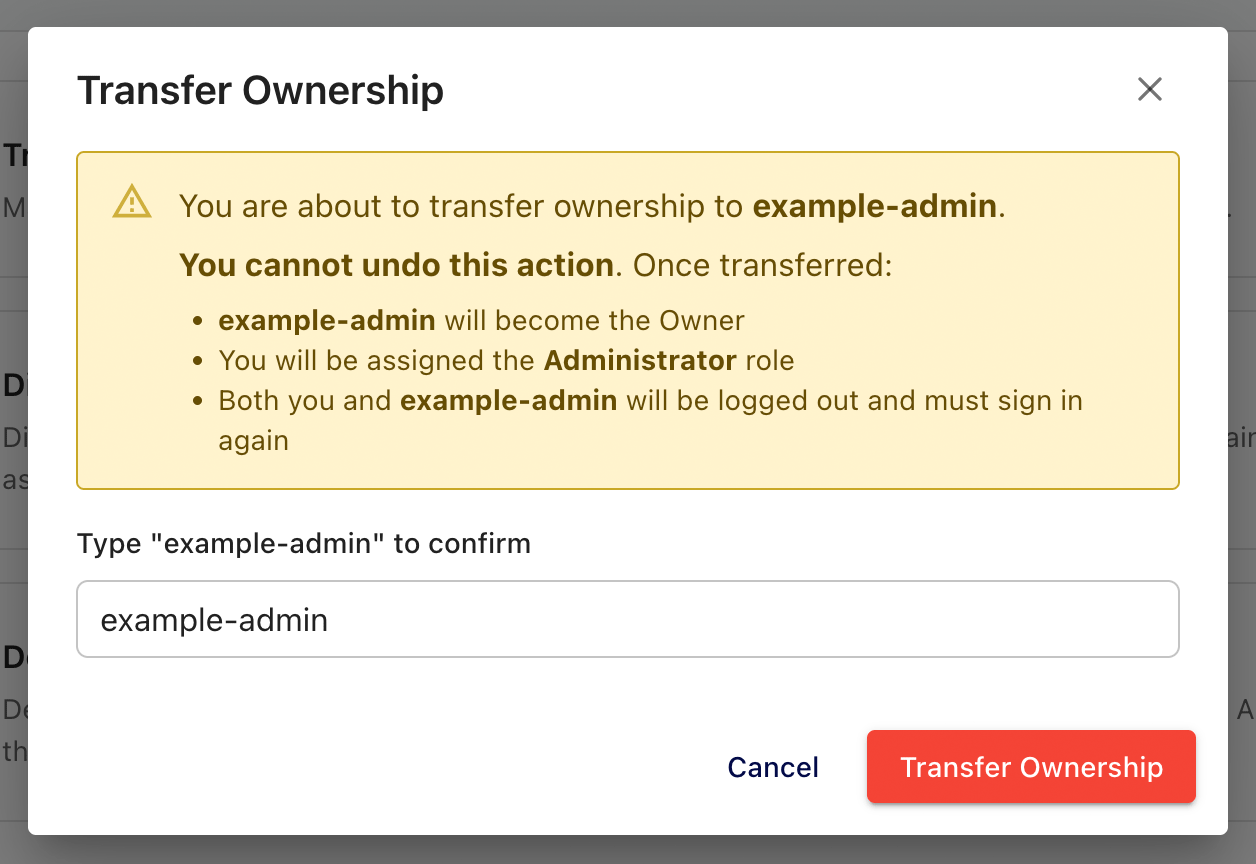
Telegraf Controller transfer ownership confirmation

What happens during transfer

When you confirm the transfer, Telegraf Controller performs an atomic operation that updates both accounts simultaneously:

  • The current owner is demoted to Administrator.
  • The target user is promoted to Owner.
  • Both users’ sessions are destroyed – both must log in again.
  • The operation is atomic: both changes succeed together or neither takes effect.

Coordinate ownership transfers

Coordinate with the target user before transferring ownership. Both accounts are logged out immediately after the transfer completes.

You cannot reclaim the Owner role yourself

Once transferred, you cannot reclaim the Owner role yourself. The new owner must transfer it back to you.


Was this page helpful?

Thank you for your feedback!


InfluxDB 3.9: Performance upgrade preview

InfluxDB 3 Enterprise 3.9 includes a beta of major performance upgrades with faster single-series queries, wide-and-sparse table support, and more.

InfluxDB 3 Enterprise 3.9 includes a beta of major performance and feature updates.

Key improvements:

  • Faster single-series queries
  • Consistent resource usage
  • Wide-and-sparse table support
  • Automatic distinct value caches for reduced latency with metadata queries

Preview features are subject to breaking changes.

For more information, see:

Telegraf Enterprise now in public beta

Get early access to the Telegraf Controller and provide feedback to help shape the future of Telegraf Enterprise.

See the Blog Post

The upcoming Telegraf Enterprise offering is for organizations running Telegraf at scale and is comprised of two key components:

  • Telegraf Controller: A control plane (UI + API) that centralizes Telegraf configuration management and agent health visibility.
  • Telegraf Enterprise Support: Official support for Telegraf Controller and Telegraf plugins.

Join the Telegraf Enterprise beta to get early access to the Telegraf Controller and provide feedback to help shape the future of Telegraf Enterprise.

For more information:

Telegraf Controller v0.0.6-beta now available

Telegraf Controller v0.0.6-beta is now available with new features, improvements, and bug fixes.

View the release notes
Download Telegraf Controller v0.0.6-beta

InfluxDB Docker latest tag changing to InfluxDB 3 Core

On May 27, 2026, the latest tag for InfluxDB Docker images will point to InfluxDB 3 Core. To avoid unexpected upgrades, use specific version tags in your Docker deployments.

If using Docker to install and run InfluxDB, the latest tag will point to InfluxDB 3 Core. To avoid unexpected upgrades, use specific version tags in your Docker deployments. For example, if using Docker to run InfluxDB v2, replace the latest version tag with a specific version tag in your Docker pull command–for example:

docker pull influxdb:2