
Transfer ownership
Telegraf Controller is in Public Beta
Telegraf Controller is in public beta and will be part of the future Telegraf Enterprise offering. While in beta, Telegraf Controller is not meant for production use. The Telegraf Controller documentation is a work in progress, and we are actively working to improve it. If you have any questions or suggestions, please submit an issue. We welcome any and all contributions.
The Owner role grants full administrative access to Telegraf Controller, including the ability to manage all users, tokens, and settings. Only one owner can exist at a time. The current owner can transfer ownership to any active administrator.
Prerequisites and restrictions
- Only the current Owner can transfer ownership.
- The target user must have the Administrator role and be in an active state.
- If the target user is a Manager or Viewer, you must first promote them to Administrator. See Change a user’s role.
- You cannot transfer ownership to yourself.
Transfer the owner role
- Navigate to the Users page or the target user’s detail page.
- Choose the target Administrator from the list (if not already selected).
- Select the Make Owner option. If on the user detail page, select the Manage tab to reveal the Make Owner option.
- Confirm the username of the user you want to transfer ownership to and click Transfer Ownership.
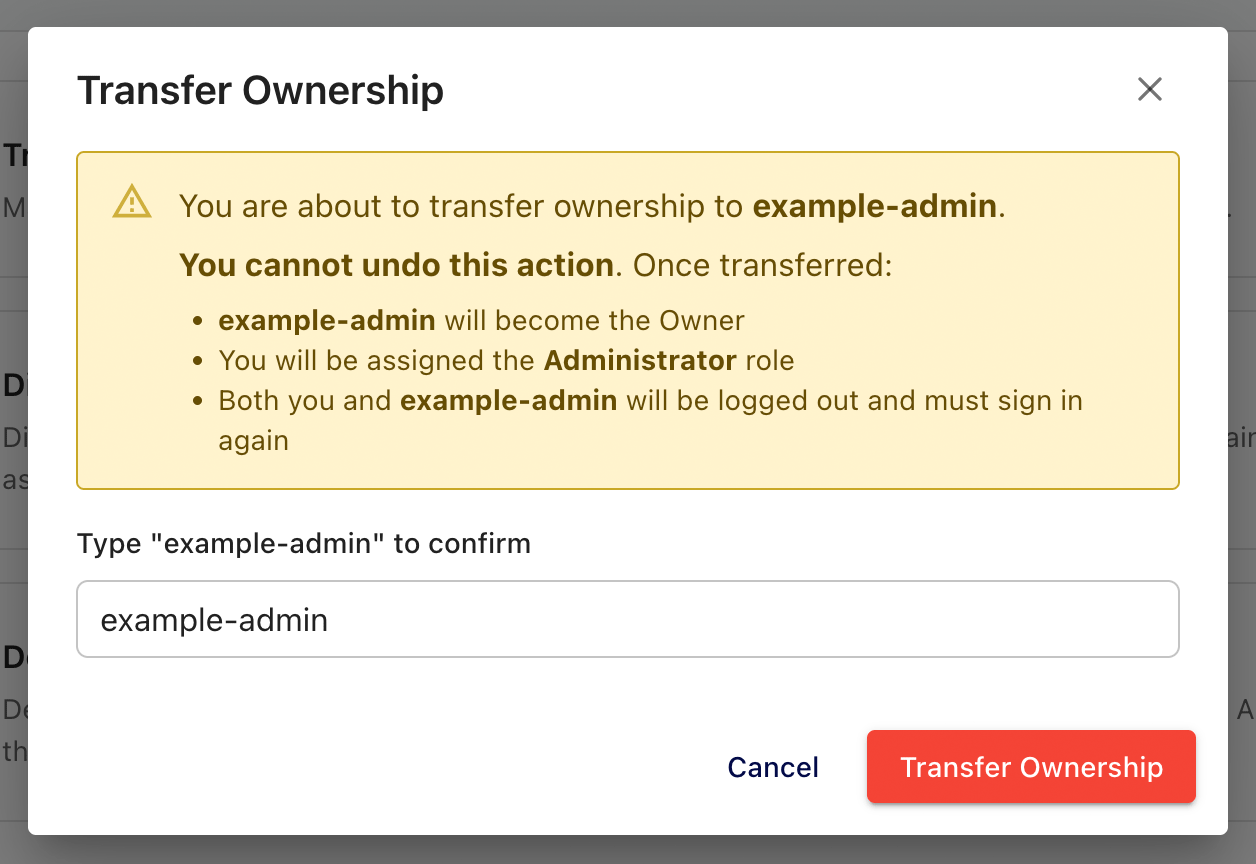
What happens during transfer
When you confirm the transfer, Telegraf Controller performs an atomic operation that updates both accounts simultaneously:
- The current owner is demoted to Administrator.
- The target user is promoted to Owner.
- Both users’ sessions are destroyed – both must log in again.
- The operation is atomic: both changes succeed together or neither takes effect.
Coordinate ownership transfers
Coordinate with the target user before transferring ownership. Both accounts are logged out immediately after the transfer completes.
You cannot reclaim the Owner role yourself
Once transferred, you cannot reclaim the Owner role yourself. The new owner must transfer it back to you.
Was this page helpful?
Thank you for your feedback!
Support and feedback
Thank you for being part of our community! We welcome and encourage your feedback and bug reports for Telegraf and this documentation. To find support, use the following resources:
Customers with an annual or support contract can contact InfluxData Support.