
Manage your account
Telegraf Controller is in Public Beta
Telegraf Controller is in public beta and will be part of the future Telegraf Enterprise offering. While in beta, Telegraf Controller is not meant for production use. The Telegraf Controller documentation is a work in progress, and we are actively working to improve it. If you have any questions or suggestions, please submit an issue. We welcome any and all contributions.
Any authenticated user can update their own account details from the account page. Use the account page to change your username, email address, or password at any time.
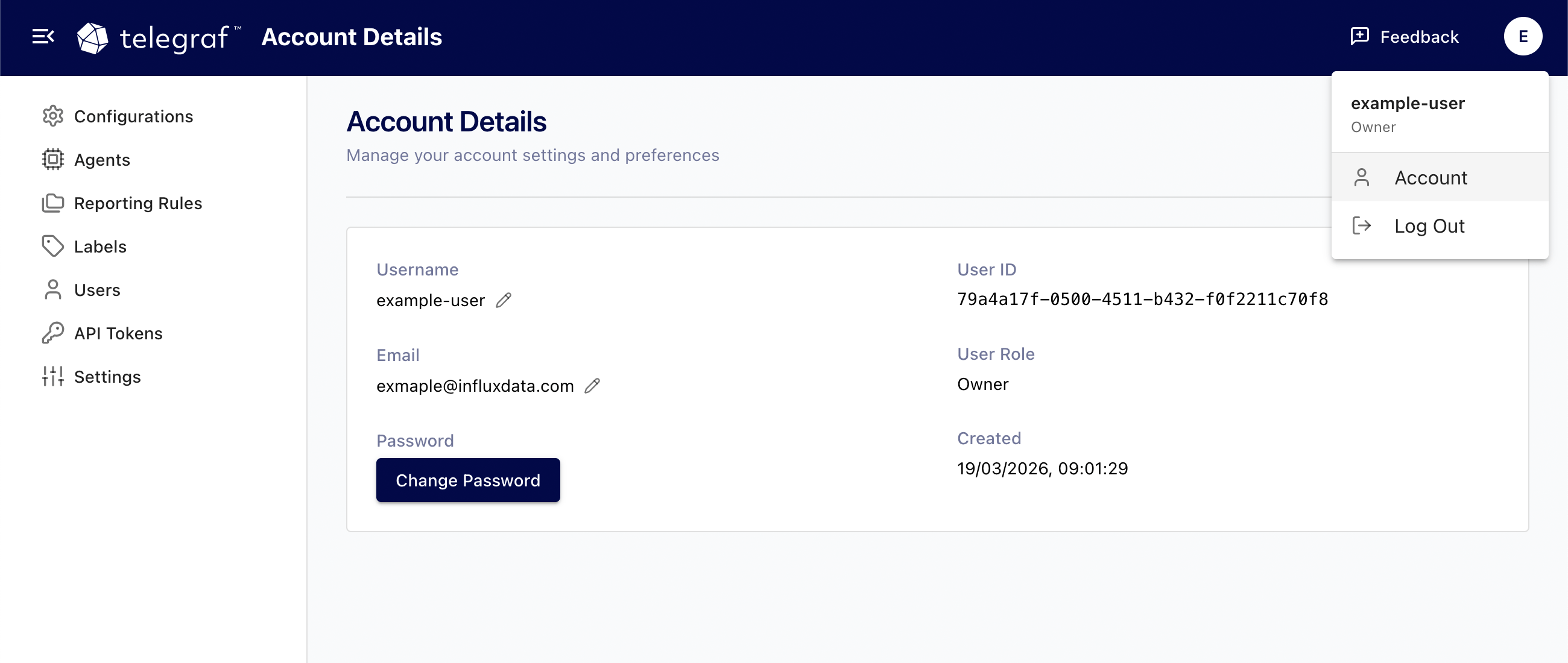
Update your username
Your username is your display name throughout Telegraf Controller. Each username must be unique across the system.
- Click your profile icon in the top-right corner and select Account.
- In the Username field, enter your new username.
- Click Save.
If the username you entered is already taken, Telegraf Controller displays an error. Choose a different username and try again.
Update your email address
Each email address must be unique and in a valid format.
- Click your profile icon in the top-right corner and select Account.
- In the Email field, enter your new email address.
- Click Save.
If the email address is already associated with another account or is not in a valid format, Telegraf Controller displays an error. Correct the email address and try again.
Update your password
To change your password, you must provide your current password along with the new one.
- Click your profile icon in the top-right corner and select Account.
- In the Current Password field, enter your existing password.
- In the New Password field, enter your new password.
- In the Confirm Password field, re-enter the new password.
- Click Save.
Your new password must meet the password complexity requirements configured by your administrator. For more information, see Password requirements.
Was this page helpful?
Thank you for your feedback!
Support and feedback
Thank you for being part of our community! We welcome and encourage your feedback and bug reports for Telegraf and this documentation. To find support, use the following resources:
Customers with an annual or support contract can contact InfluxData Support.