
Create an API token
Telegraf Controller is in Public Beta
Telegraf Controller is in public beta and will be part of the future Telegraf Enterprise offering. While in beta, Telegraf Controller is not meant for production use. The Telegraf Controller documentation is a work in progress, and we are actively working to improve it. If you have any questions or suggestions, please submit an issue. We welcome any and all contributions.
Create a new API token to authenticate requests to the Telegraf Controller API. Tokens let you grant scoped access to external tools, scripts, and services without sharing your login credentials.
Required permissions
You must have an Owner, Administrator, or Manager role assigned to your account.
Create a token
- Navigate to the API Tokens page.
- Click Create Token.
- Enter a Description for the token that identifies where or how the token will be used.
- (Optional) Set an Expiration date. Tokens without an expiration date remain active indefinitely.
- (Optional) Set Custom permissions to restrict the token’s access below your role’s full permissions. See Custom permissions for details.
- Click Create.
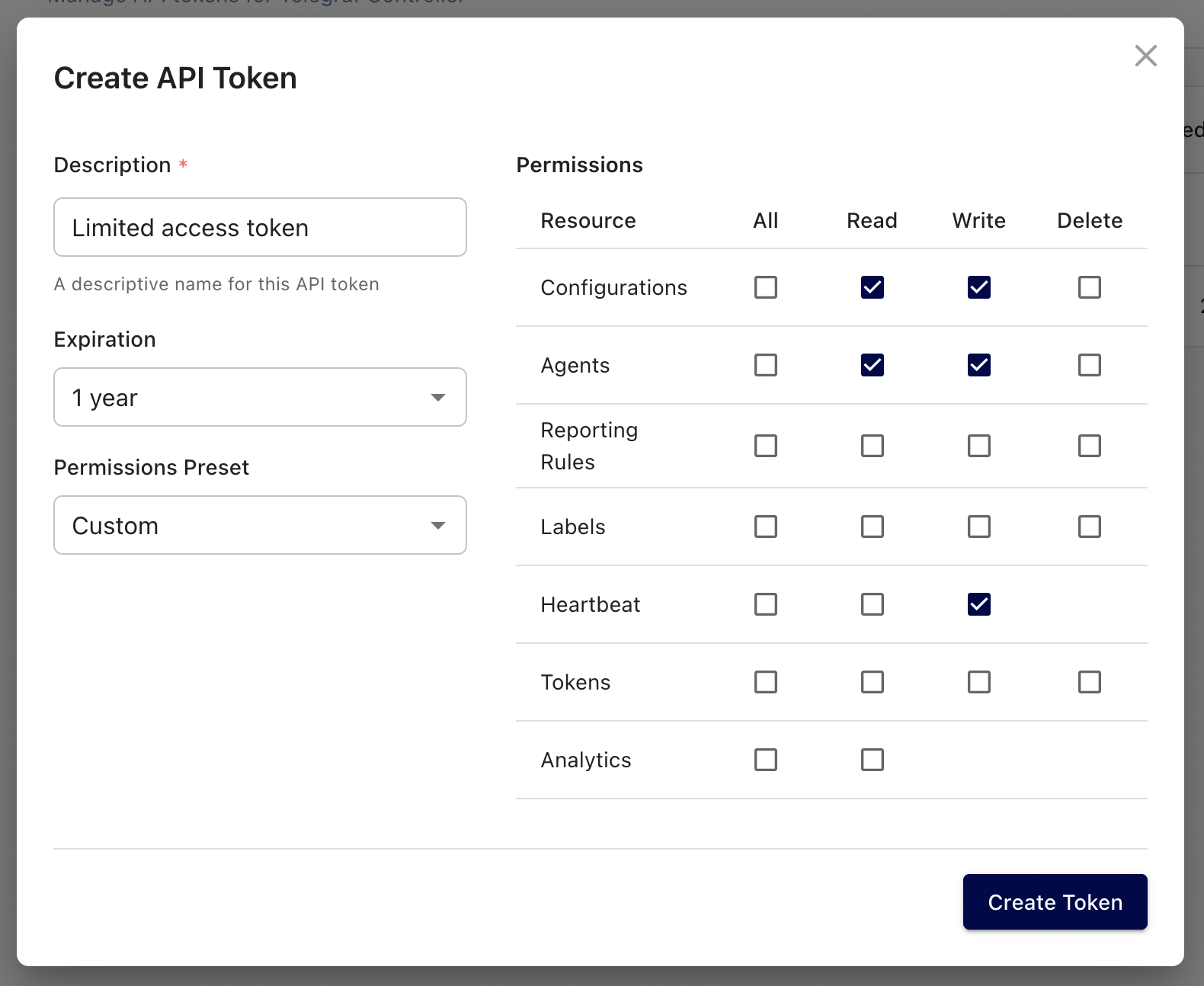
Copy and store your token
Copy your API token immediately after creation. The full token value is only displayed once and cannot be retrieved later.
Custom permissions
When you set custom permissions on a token, Telegraf Controller intersects those permissions with your role’s existing permissions. This means you can use custom permissions to narrow a token’s access, but you cannot create a token with more access than your role allows.
For example, if you have the Manager role, you cannot create a token with user management permissions. The resulting token will only include the permissions that overlap with what your role grants.
Custom permissions are useful when you want to issue a token for a specific task, such as read-only access to configurations, without exposing the full scope of your role.
If you lose a token
If you lose or forget a token value, you cannot recover it. Revoke the lost token and create a new one to restore access.
For instructions on revoking a token, see Revoke an API token.
Was this page helpful?
Thank you for your feedback!
Support and feedback
Thank you for being part of our community! We welcome and encourage your feedback and bug reports for Telegraf and this documentation. To find support, use the following resources:
Customers with an annual or support contract can contact InfluxData Support.