
View and update a Telegraf Enterprise license
After a Telegraf Enterprise license is applied to Telegraf Controller, use the user interface (UI) or API to inspect the license, monitor entitlements and usage, replace the license at renewal, or remove the license to revert to the free tier.
Telegraf Enterprise
Unlock higher configuration and agent limits, high availability, enhanced security features, and official support for Telegraf and Telegraf Controller.
View the current license
In the UI, navigate to Settings > Enterprise to view:
- License ID: the unique identifier for your license. Include this value when contacting InfluxData support.
- Loaded: the date and time the license was applied to this Telegraf Controller instance.
- Expires: the contractual expiration date, with a status chip indicating current state (valid, expiring, or expired).
- Max configurations: the configurations entitlement from the license.
- Max reporting agents: the reporting agents entitlement from the license.
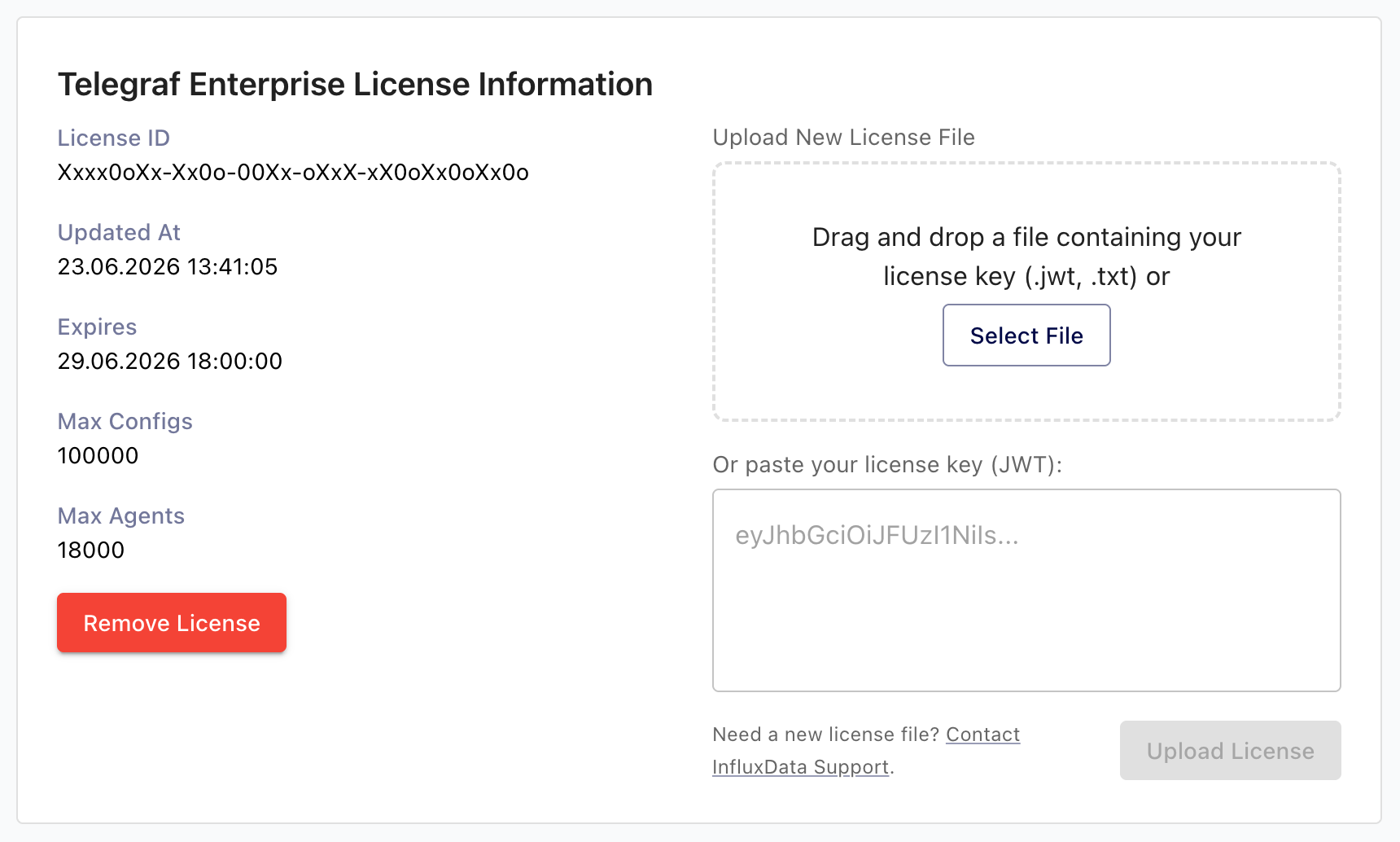
From the API, an Owner can call GET /api/license to retrieve the same
information for scripted checks:
curl -H "Authorization: Bearer YOUR_TC_API_TOKEN" \
  https://telegraf_controller.example.com/api/license
Replace YOUR_TC_API_TOKEN
with your Telegraf Controller API token.
Example response:
{
  "status": "valid",
  "licenseId": "Xxxx0oXx-Xx0o-00Xx-oXxX-xX0oXx0oXx0o",
  "issuedAt": "2024-01-15T10:00:00Z",
  "expiresAt": "2026-12-31T00:00:00Z",
  "maxConfigs": 100000,
  "maxAgents": 18000,
  "loadedAt": "2024-06-01T14:30:00Z"
}
If no license is applied, GET /api/license returns 404 Not Found.
View entitlements and usage
Any authenticated user can call GET /api/license/entitlements to see the
effective entitlements alongside current usage. This endpoint is the right
choice for monitoring dashboards and capacity-planning scripts because it
doesn’t require the Owner role and works on both licensed and unlicensed
instances.
curl -H "Authorization: Bearer YOUR_TC_API_TOKEN" \
  https://telegraf_controller.example.com/api/license/entitlements
Replace YOUR_TC_API_TOKEN
with your Telegraf Controller API token.
Example response on a licensed instance:
{
  "status": "valid",
  "licenseId": "Xxxx0oXx-Xx0o-00Xx-oXxX-xX0oXx0oXx0o",
  "expiresAt": "2026-12-31T00:00:00Z",
  "enterpriseEnabled": true,
  "entitlements": {
    "maxConfigs": 100000,
    "maxAgents": 18000
  },
  "usage": {
    "configs": 47,
    "agents": 183
  }
}
Example response on an unlicensed instance:
{
  "status": "unlicensed",
  "licenseId": null,
  "expiresAt": null,
  "enterpriseEnabled": false,
  "entitlements": {
    "maxConfigs": 20,
    "maxAgents": 100
  },
  "usage": {
    "configs": 8,
    "agents": 12
  }
}
Replace a license
To apply a renewed or upgraded license, apply the new license through Settings > Enterprise exactly the same way you applied the first one. Telegraf Controller validates the new license and replaces the existing one in place. The new entitlements take effect immediately with no restart.
Failed license updates never downgrade a valid license
If the new license fails validation, Telegraf Controller retains the previously active license and returns an error describing the validation failure. Your enterprise features and scale limits are unaffected. See Troubleshoot licensing for the error catalog.
Remove a license
Removing a license reverts Telegraf Controller to the free tier. Only the Owner can remove a license.
Navigate to Settings > Enterprise.
Click Remove license.
Confirm the action in the dialog.
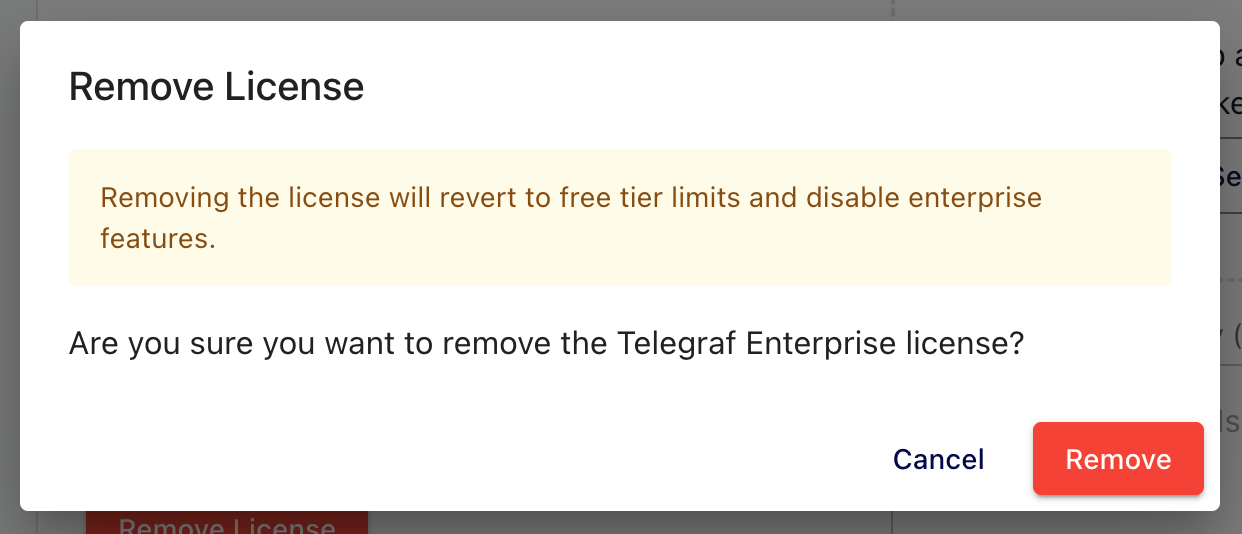
The change takes effect immediately, with no restart required.
After removal:
- Scale limits revert to the free tier: 20 configurations and 100 reporting agents.
- Enterprise features are disabled: audit logging, LDAP authentication, and OIDC authentication stop accepting new requests. High-availability leadership election also stops; see How licensing affects high availability.
- Existing resources above the free-tier limit are preserved but cannot
grow. Create requests for configurations or agent registrations are
rejected with
402 Payment Requireduntil usage drops below the free-tier limit. - Existing IdP-authenticated sessions remain valid until they expire on their own. New LDAP or OIDC logins are blocked. Local authentication becomes the only authentication method for the UI. For users that only used IdP authentication and do not have a configured password, an Owner or Administrator must initiate a password reset for that user.
To restore enterprise features and licensed entitlements, apply a license again. See Apply a license.
Was this page helpful?
Thank you for your feedback!
Support and feedback
Thank you for being part of our community! We welcome and encourage your feedback and bug reports for Telegraf Controller and this documentation. To find support, use the following resources:
Customers with an annual or support contract can contact InfluxData Support.