
Create and manage configuration groups
Create a configuration group, then manage its member configurations, order, labels, and lifecycle from the group detail page.
Create a configuration group
- In the Telegraf Controller web interface, select Configurations > Config Groups in the navigation bar.
- Click Add Config Group.
- Enter a group name and optional description.
- (Optional) To assign aliases to the group, click Add Alias and enter an alias that follows the naming rules.
- Click Add Configs and select the configurations to include.
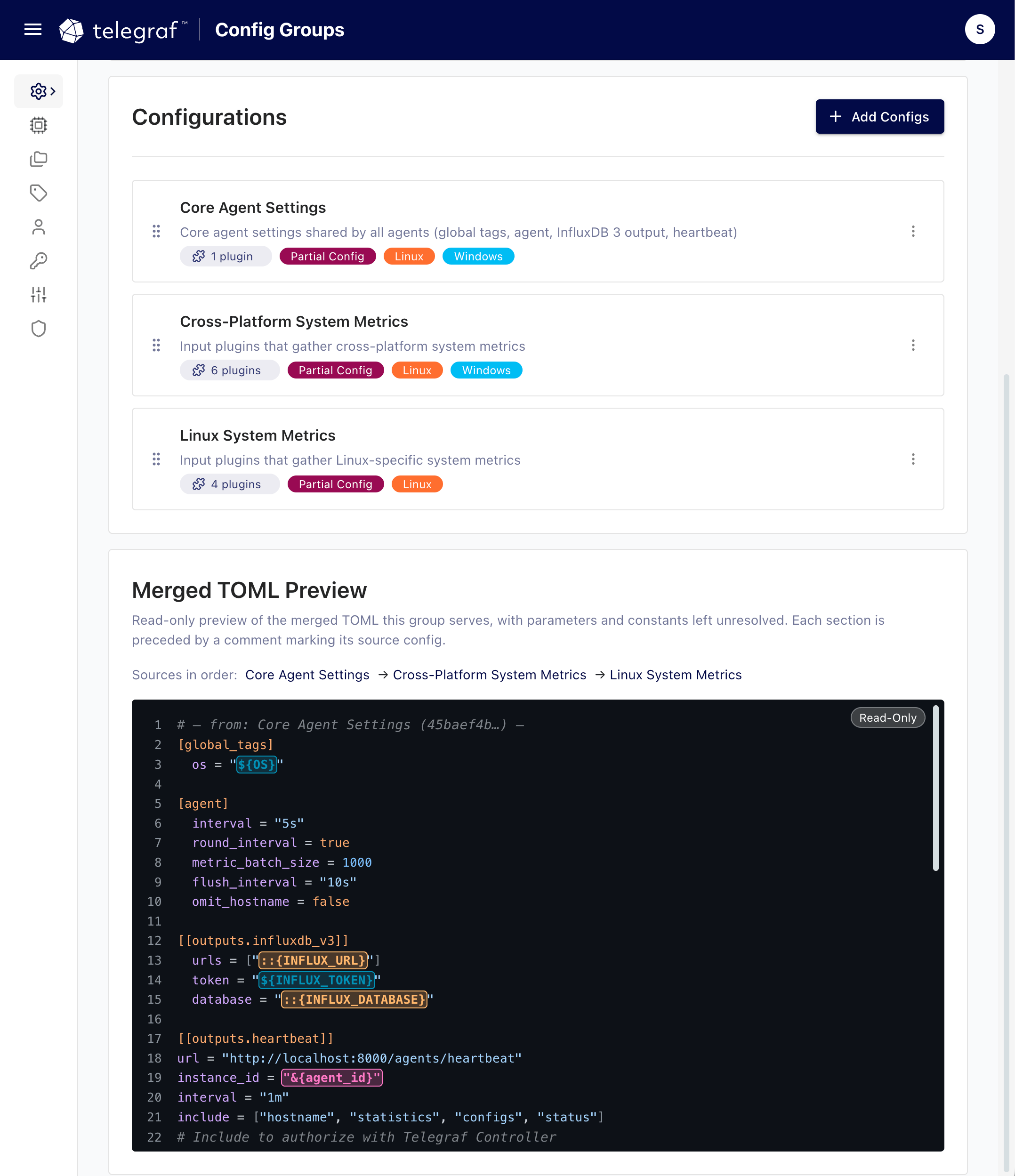
- Drag members by the drag handle () into the order you want them rendered.
- Click Create Config Group.
View configuration groups
The Configuration Groups page lists all groups with their descriptions, member counts, labels, and the number of agents using each group. Search by name, description, or member configuration name, sort by name or date, and filter by label.
Click a group name to open the group detail page. The More Details section shows the group ID, member count, timestamps, and the API and TOML URLs for the group.
Add or remove member configurations
On the group detail page, under Configurations:
- To add members, click Add Configs and select configurations. Configurations already in the group are skipped.
- To remove a member, click the more icon () on the member and select Remove. Removing a configuration from a group does not delete the configuration.
Reorder member configurations
Members render in their listed order, which matters when later plugins depend on earlier ones or when you want a predictable merged layout.
- Drag members by the drag handle () into the order you want.
- Click Save.
Saving a new order updates the group. Agents that watch the group URL load the reordered configuration on their next check. For details, see Auto-update agents.
Review the merged TOML
The Merged TOML Preview panel on the group detail page shows the read-only result of rendering all members in order, including the source comments that mark where each member configuration begins. Validation issues in the merged output are listed above the preview.
Edit the group name and description
On the group detail page, click the group name or description, enter a new value, and confirm.
Manage group labels
Use the Labels box on the group detail page to assign or remove labels. Labels on groups work the same way as labels on configurations and agents. For details, see Manage labels.
Delete a configuration group
- On the group detail page, select the Manage tab.
- Click the delete option and confirm.
Deleting a group does not delete its member configurations. Aliases assigned to the group are deleted, and agents that retrieve TOML by the group’s URL can no longer load it.
Was this page helpful?
Thank you for your feedback!
Support and feedback
Thank you for being part of our community! We welcome and encourage your feedback and bug reports for Telegraf Controller and this documentation. To find support, use the following resources:
Customers with an annual or support contract can contact InfluxData Support.