Documentation

View variables

This page documents an earlier version of InfluxDB OSS. InfluxDB 3 Core is the latest stable version.

View a list of dashboard variables in the InfluxDB user interface (UI) from an organization or from the Data Explorer.

View variables in the organization

  1. Click the Settings icon in the navigation bar.

  2. Select the Variables tab.

View variables in the Data Explorer

  1. Click the Data Explorer icon in the navigation bar.

  2. Switch to Script Editor.

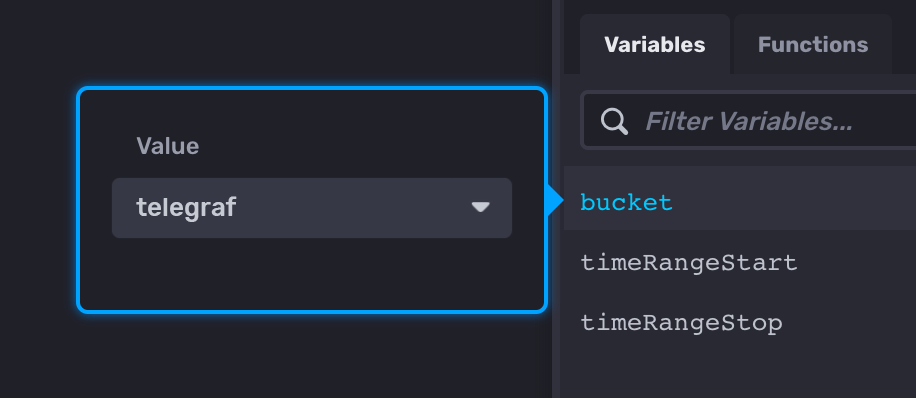
  3. Click the Variables tab to the right of the script editor.

Was this page helpful?

Thank you for your feedback!


Telegraf Enterprise now in public beta

Get early access to the Telegraf Controller and provide feedback to help shape the future of Telegraf Enterprise.

See the Blog Post

The upcoming Telegraf Enterprise offering is for organizations running Telegraf at scale and is comprised of two key components:

  • Telegraf Controller: A control plane (UI + API) that centralizes Telegraf configuration management and agent health visibility.
  • Telegraf Enterprise Support: Official support for Telegraf Controller and Telegraf plugins.

Join the Telegraf Enterprise beta to get early access to the Telegraf Controller and provide feedback to help shape the future of Telegraf Enterprise.

For more information:

InfluxDB Docker latest tag changing to InfluxDB 3 Core

On May 27, 2026, the latest tag for InfluxDB Docker images will point to InfluxDB 3 Core. To avoid unexpected upgrades, use specific version tags in your Docker deployments.

If using Docker to install and run InfluxDB, the latest tag will point to InfluxDB 3 Core. To avoid unexpected upgrades, use specific version tags in your Docker deployments. For example, if using Docker to run InfluxDB v2, replace the latest version tag with a specific version tag in your Docker pull command–for example:

docker pull influxdb:2