
Use the InfluxDB documentation MCP server
This page documents an earlier version of InfluxDB OSS. InfluxDB 3 Core is the latest stable version.
The InfluxDB documentation MCP server lets AI tools and agents search InfluxDB documentation directly from your development environment. Use it to find answers, code examples, and configuration details without leaving your IDE.
Why use the documentation MCP server?
When you connect the documentation MCP server to your AI coding assistant, the assistant can search InfluxDB documentation to answer your questions with accurate, up-to-date information. Instead of switching to a browser or guessing at syntax, you can ask questions in your IDE and get responses grounded in official documentation.
Common use cases:
- Get help writing queries, client library code, or CLI commands
- Look up configuration options and environment variables
- Find code examples for specific tasks
- Troubleshoot errors with documentation-backed answers
Install the documentation MCP server
The documentation MCP server is a hosted service—you don’t need to install or run anything locally. Add the server URL to your AI assistant’s MCP configuration.
On first use, you’ll be prompted to sign in with a Google or GitHub account. This authentication is used only for rate limiting—no personal data is collected.
MCP server URL:
https://influxdb-docs.mcp.kapa.aiThe server uses SSE (Server-Sent Events) transport.
Configure your AI assistant to use the documentation MCP server
The following instructions show how to configure popular AI assistants to use the InfluxDB documentation MCP server.
In Claude Desktop, go to Settings > Developer and edit your configuration. Add the following JSON configuration:
{
  "mcpServers": {
    "influxdb-docs": {
      "url": "https://influxdb-docs.mcp.kapa.ai"
    }
  }
}
Save the file and restart Claude Desktop for the changes to take effect.
In ChatGPT Desktop, go to Settings > Integrations > Enable MCP and add a new server. Add the following JSON configuration:
{
  "mcpServers": {
    "influxdb-docs": {
      "url": "https://influxdb-docs.mcp.kapa.ai",
      "transport": "sse"
    }
  }
}
Save the configuration and restart ChatGPT Desktop.
In VS Code, configure GitHub Copilot to use the MCP server:
- Create or edit
.vscode/mcp.jsonin your workspace or project directory - Add the following configuration:
{
  "servers": {
    "influxdb-docs": {
      "type": "http",
      "url": "https://influxdb-docs.mcp.kapa.ai"
    }
  }
}- Restart or reload VS Code
- Open the Command Palette (
Ctrl+Shift+PorCmd+Shift+P) - Run MCP: List Servers to verify the server is registered
The InfluxDB documentation MCP server will now be available through GitHub Copilot Chat.
In Cursor, add the MCP server configuration to your MCP settings file.
- Open Settings and navigate to MCP Servers
- Click Add MCP Server or edit the configuration file directly
- Add the following configuration to
.cursor/mcp.json(project-level) or~/.cursor/mcp.json(global):
{
  "mcpServers": {
    "influxdb-docs": {
      "url": "https://influxdb-docs.mcp.kapa.ai",
      "transport": "streamableHttp"
    }
  }
}
Save the file and restart Cursor.
In OpenCode, configure the MCP server in your configuration file:
- Create or edit
opencode.json(oropencode.jsonc) in your workspace - Add the following configuration:
{
  "$schema": "https://opencode.ai/config.json",
  "mcp": {
    "influxdb-docs": {
      "type": "remote",
      "url": "https://influxdb-docs.mcp.kapa.ai",
      "enabled": true
    }
  }
}- Start OpenCode and use the
/initcommand to verify the MCP server is accessible
The InfluxDB documentation search tools will be available in your OpenCode sessions.
Authentication and rate limits
When you connect to the documentation MCP server for the first time, a sign-in window opens where you can choose to authenticate with a Google or GitHub account.
The hosted MCP server uses your account only to generate a stable, opaque user ID for rate limiting—no personal data is collected:
- Google: Requests only the
openidscope. Does not requestemailorprofilescopes—your name, email address, and other personal data are not collected. - GitHub: Requests no OAuth scopes. With no scopes requested, GitHub grants read-only access to public profile information only. The server does not access repositories, organizations, email addresses, or other GitHub data.
The anonymous user ID enforces per-user rate limits to prevent abuse:
- 40 requests per user per hour
- 200 requests per user per day
If you sign in with Google, the consent screen may display
“Associate you with your personal info on Google.”
This is Google’s generic wording for the openid scope—it means the app can recognize
that the same Google account is signing in again.
It does not grant access to your email, name, contacts, or other data.
Search documentation with the MCP tool
The documentation MCP server exposes a semantic search tool:
search_influxdb_knowledge_sourcesThis tool lets AI agents perform semantic retrieval over InfluxDB documentation and related knowledge sources.
What the tool does:
- Searches all InfluxDB documentation for a given query
- Returns the most relevant chunks in descending order of relevance
- Each chunk is a self-contained snippet from a single documentation page
Response format:
Each result includes:
source_url: URL of the original documentation pagecontent: The chunk content in Markdown
Use the documentation MCP server
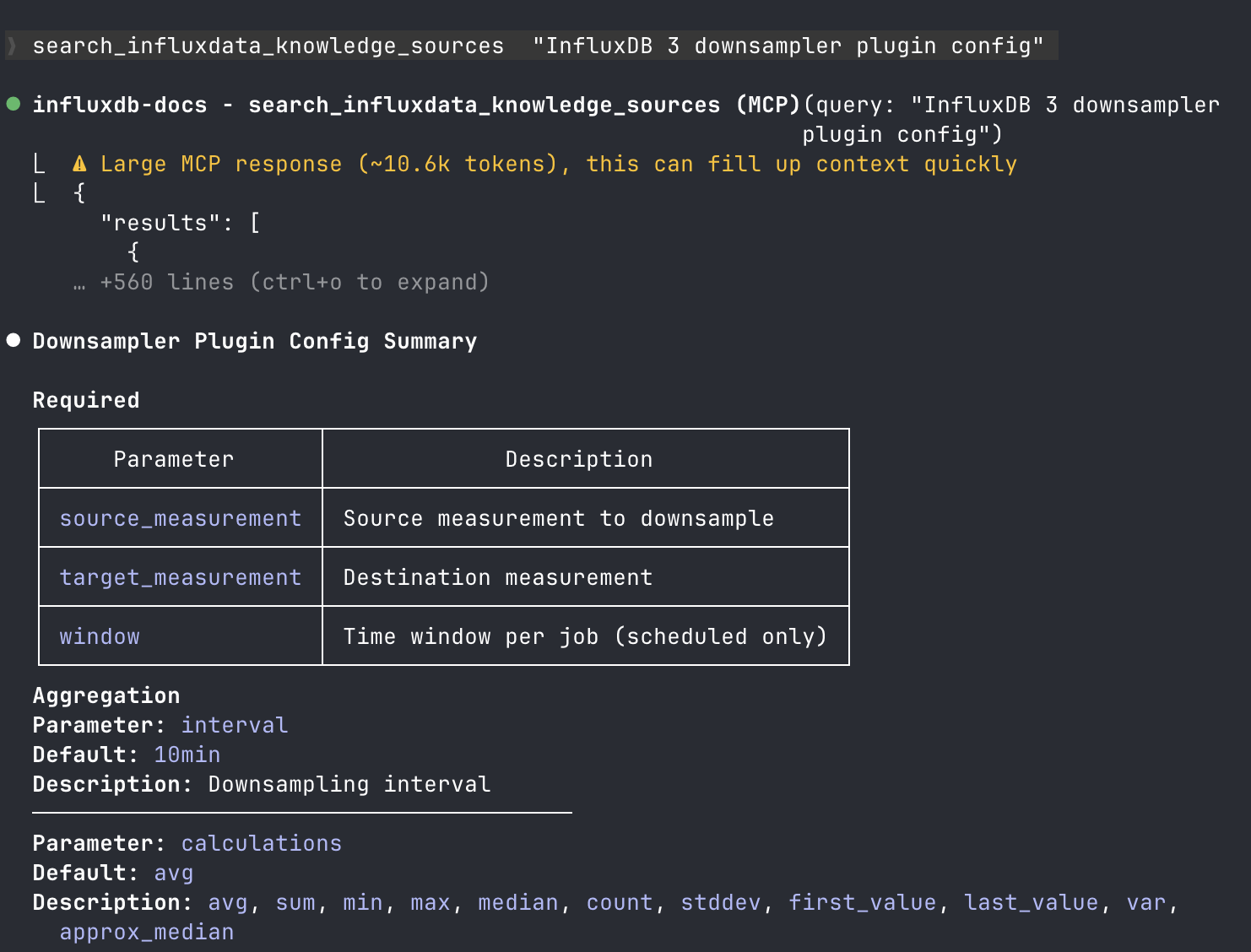
After you install the documentation MCP server, your AI assistant can search InfluxDB documentation to help you with tasks. Ask questions naturally—the assistant uses the MCP server to find relevant documentation and provide accurate answers.
Example prompts
“How do I write data to InfluxDB using Python?”
“What’s the syntax for a SQL query with a WHERE clause in InfluxDB?”
“Show me how to configure Telegraf to collect CPU metrics.”
“What environment variables does the InfluxDB CLI use?”
“How do I create a database token with read-only permissions?”
Was this page helpful?
Thank you for your feedback!
Support and feedback
Thank you for being part of our community! We welcome and encourage your feedback and bug reports for InfluxDB and this documentation. To find support, use the following resources:
Customers with an annual or support contract can contact InfluxData Support.